

Bayou Automated MFA (Preview)
Get Customer Utility Data Indefinitely with a Single MFA/2FA Authentication Using Bayou Energy
Overview
Bayou enables customers to securely grant access to their utility data to companies who need that data. For most scenarios, companies get access to data indefinitely, as Bayou refreshes the data in the background on an ongoing basis. However, multi-factor authentication can disrupt this process. Using Bayou’s current publicly available feature set, companies get data for customers with multi-factor authentication for 3-6 months, after which point the customer needs to re-authenticate. Many customers don't, which can affect everything from enrollment verification to load forecasting to settlement.
Bayou’s Automated MFA feature solves this, allowing companies to get customer utility data indefinitely with a single MFA/2FA authentication.
The customer flow below uses Commonwealth Edison (ComEd) as an example.
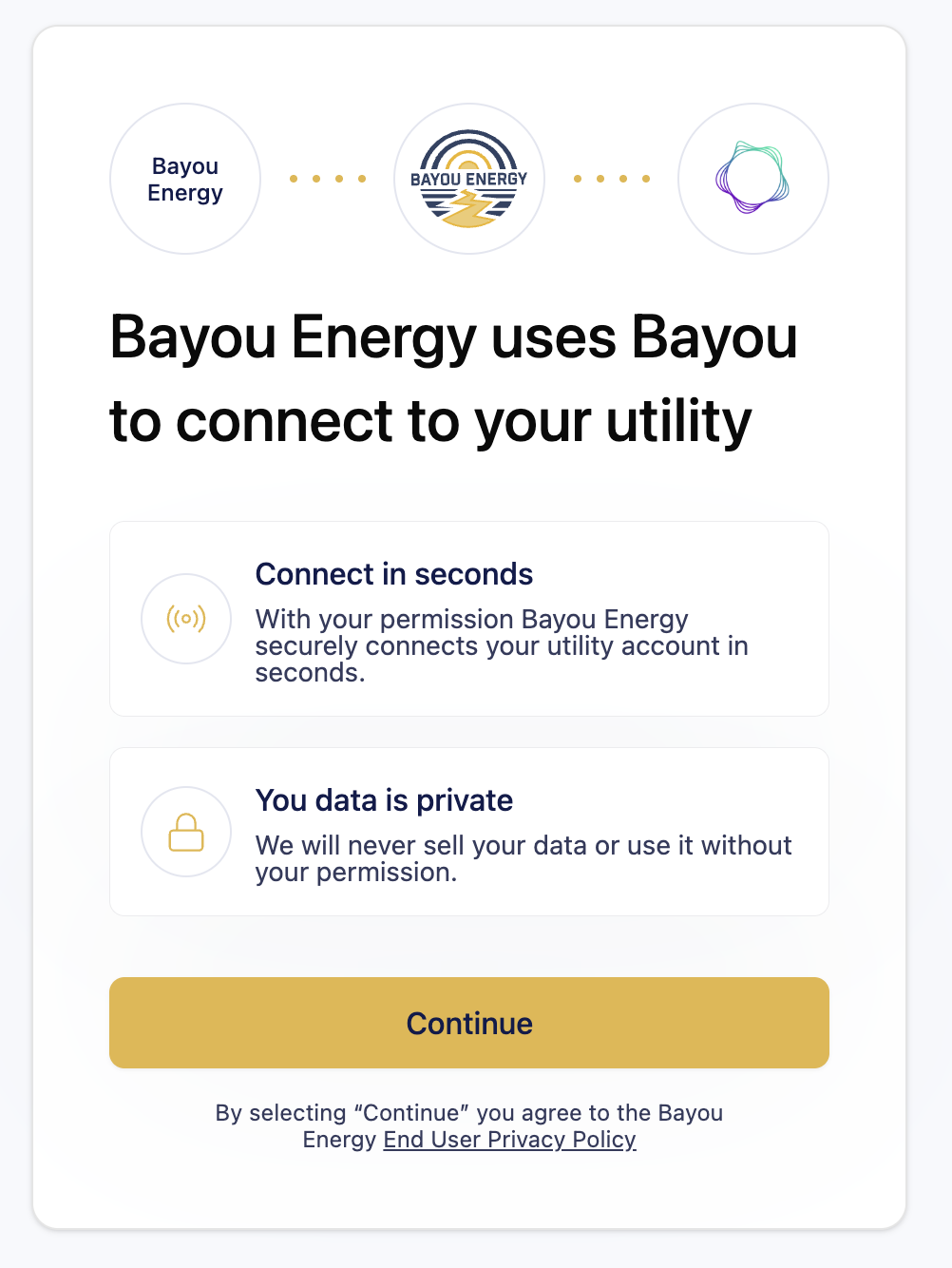
Step 1: Initiate the Connection
The customer is presented with a brief overview of what Bayou does and how their data is handled. The customer clicks Continue to proceed.
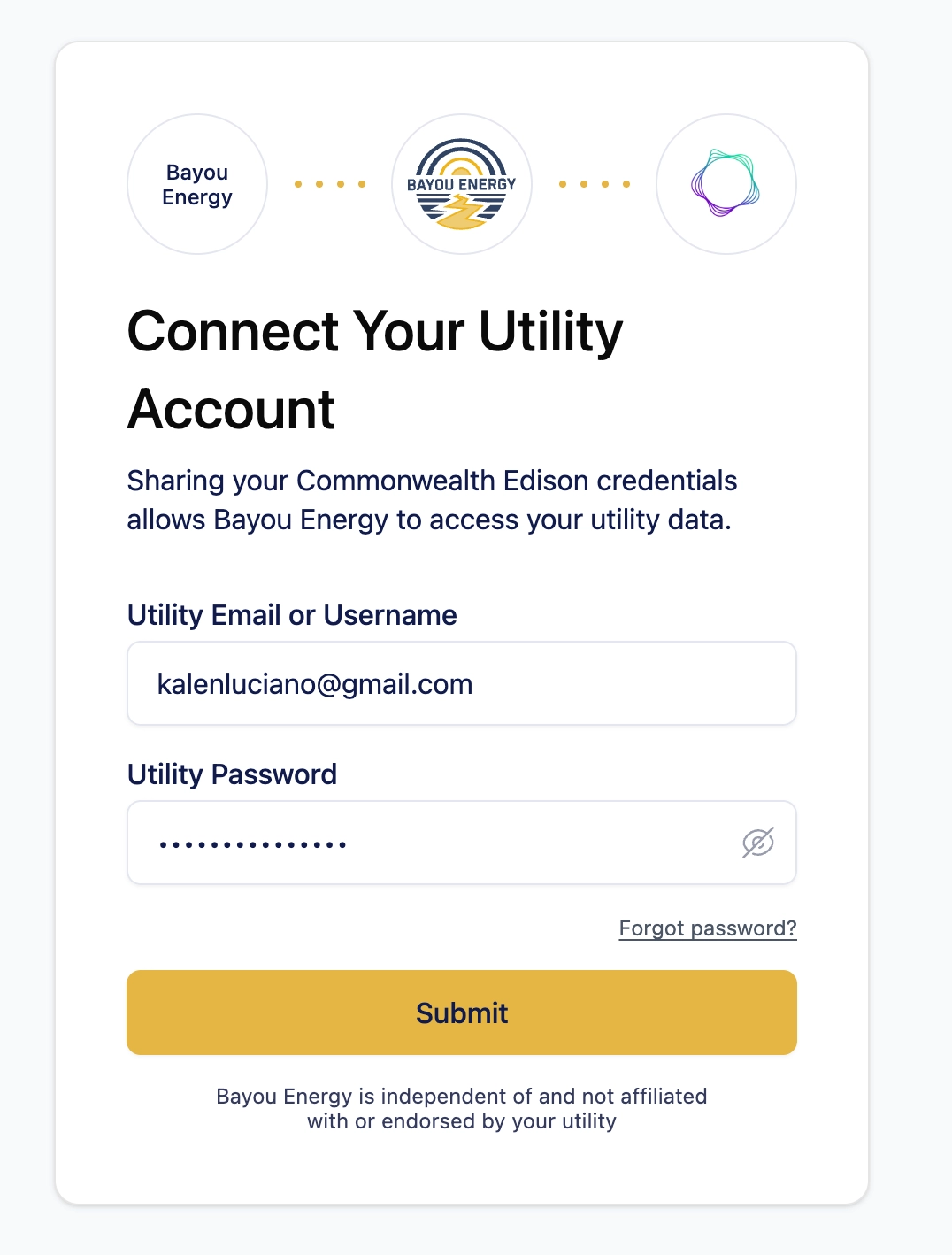
Step 2: Enter Utility Credentials
The customer enters their ComEd login credentials (email/username and password).
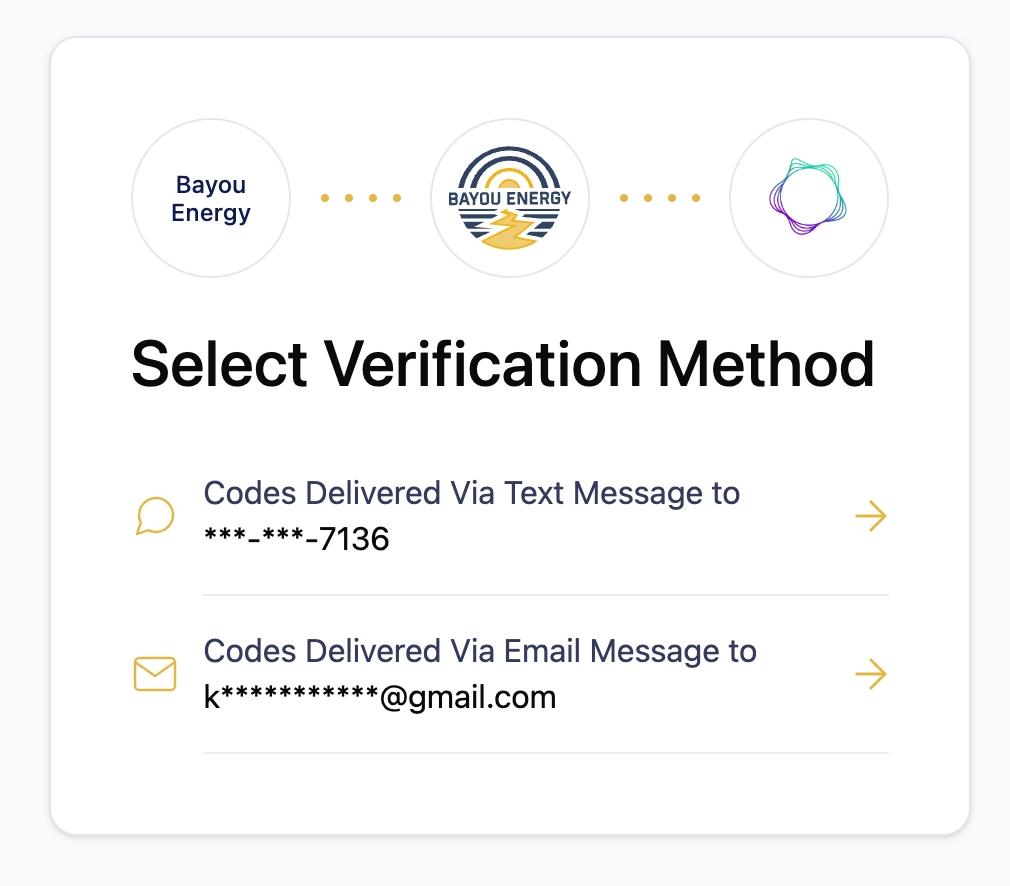
Step 3: Select a Verification Method
Because the customer's utility account has multi-factor authentication (MFA) enabled, they are prompted to choose how they'd like to receive their verification code:
- Text message to their phone
- Email to their address on file
Notice that the customer's existing phone number is displayed here — this is the number currently on file with the utility. The customer selects their preferred method.
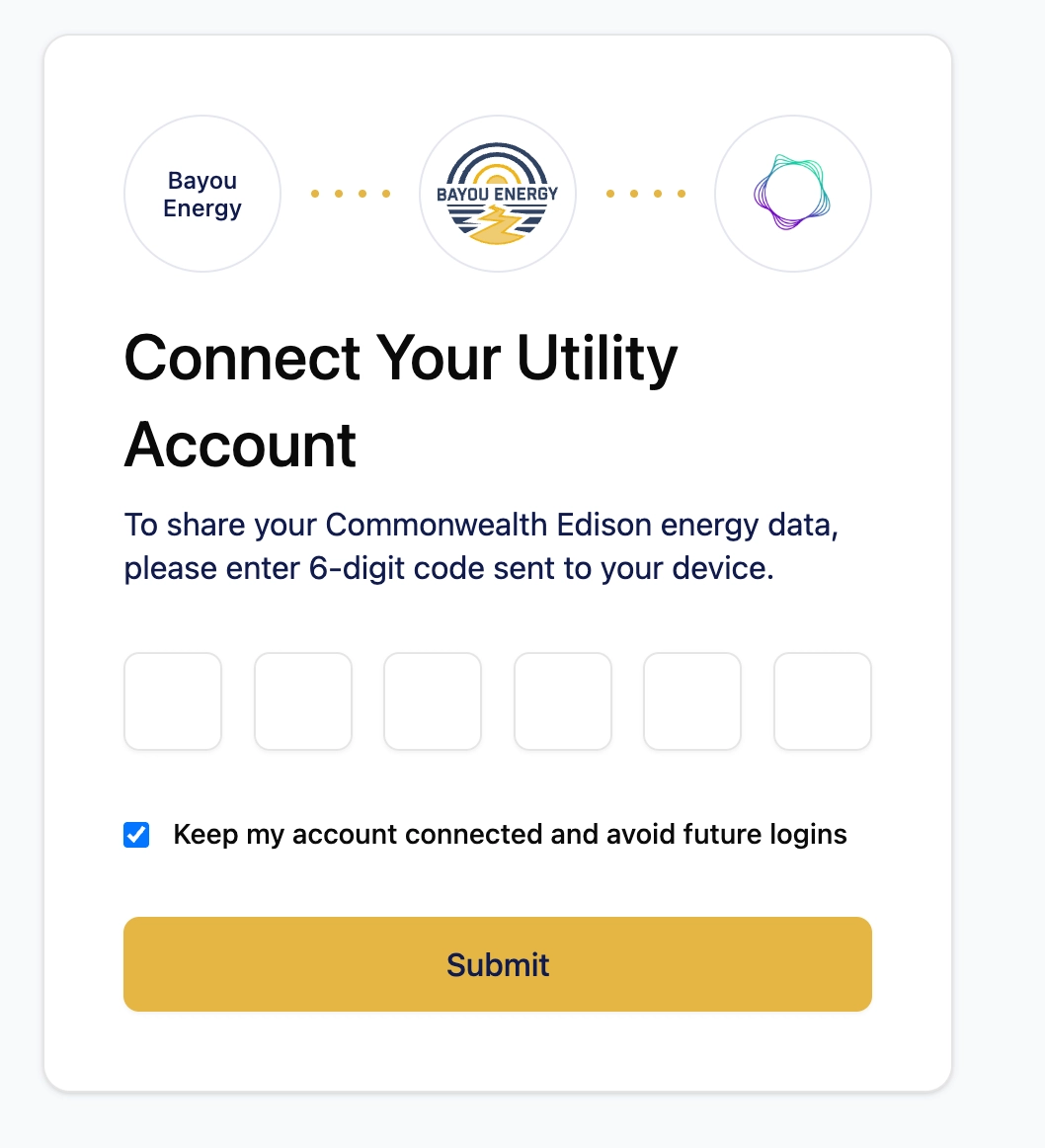
Step 4: Opt In to Bayou-Managed Authentication
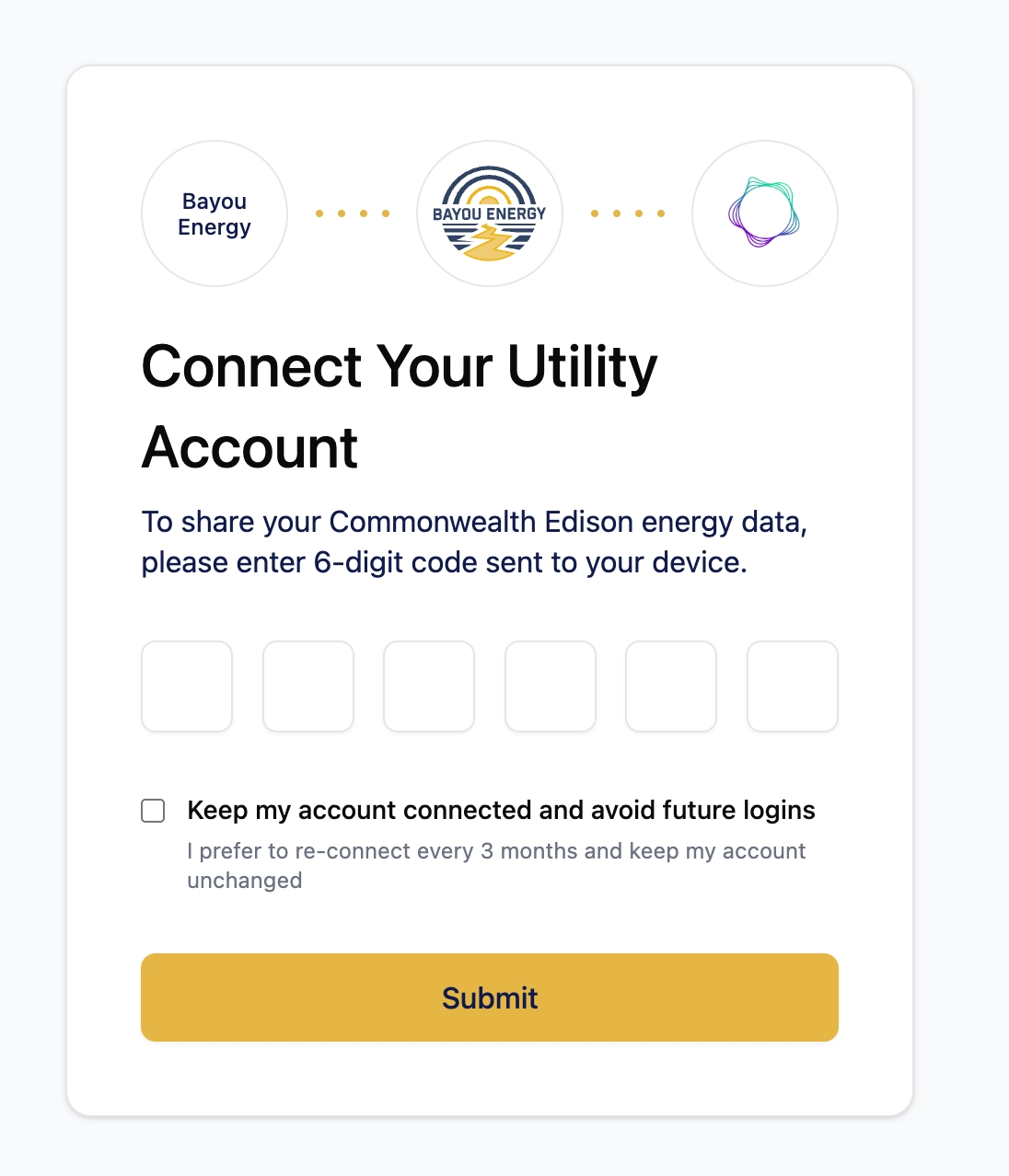
The customer is prompted to enter their 6-digit verification code. On this same screen, they are given a clear, opt-in choice:
☑ Keep my account connected and avoid future logins
This single checkbox is where the magic happens. When checked, Bayou replaces the customer's phone number on file at the utility with a Bayou-managed number — meaning Bayou can receive MFA codes automatically on the customer's behalf. The customer won't need to complete MFA again each time Bayou accesses their data, and the customer will still receive MFA access codes when they log into their portal directly.
If the customer unchecks the box, they see:
☐ Keep my account connected and avoid future logins
I prefer to re-connect every 3 months
This gives the customer full transparency and control over how their account is managed.
Step 5: Connection Confirmed
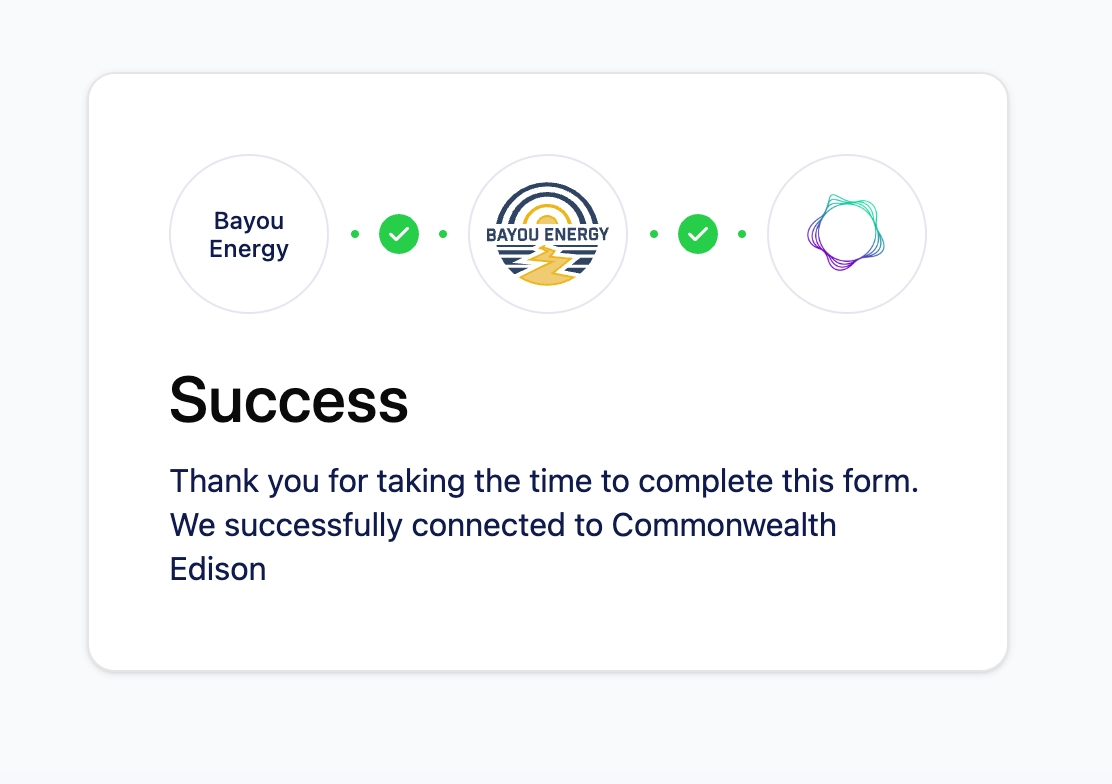
After submitting their verification code, the customer sees a success screen:
The utility account is now linked and Bayou will be able to retrieve utility data indefinitely.
Key benefits:
- No recurring manual logins or MFA interruptions for the customer
- Customer explicitly opts in — full transparency and control
- Customer’s direct utility portal account access process remains unchanged
- The company reliably gets utility data for the customer indefinitely
Q&A
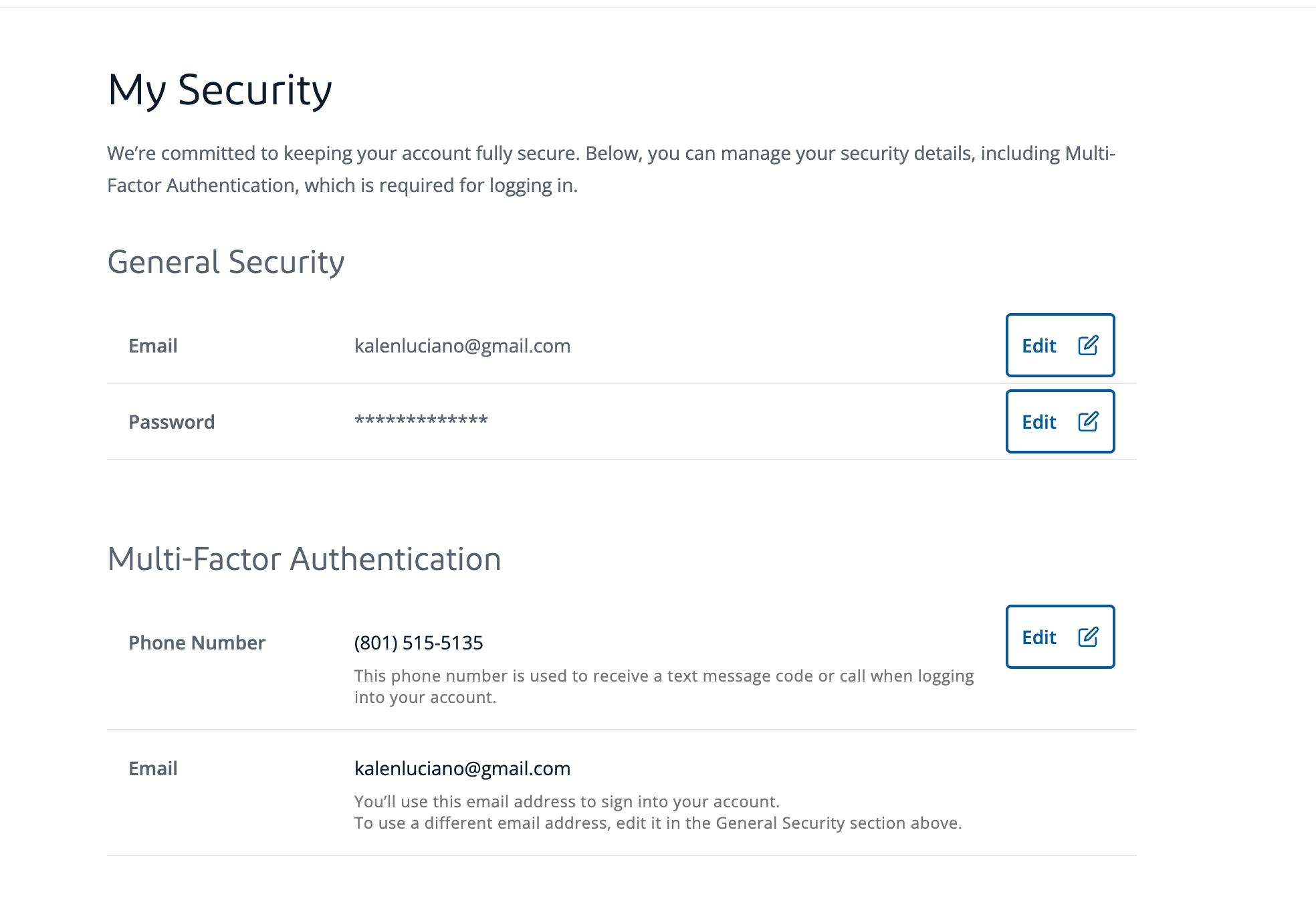
How does this look in the customer’s utility account?
The only change in the customer’s portal is that the Phone Number MFA factor has changed from their phone number to Bayou’s phone number:
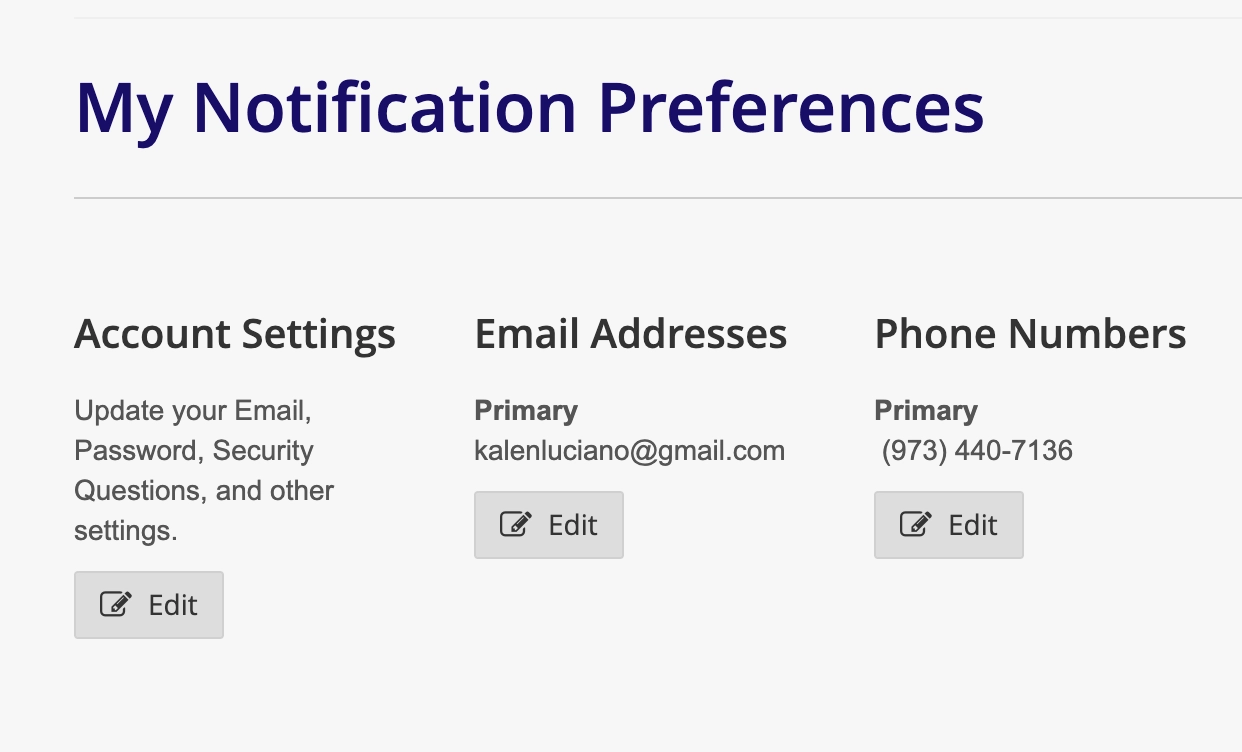
Note that the customer’s notification phone number remains their own:
What if the customer wants to log into their portal using phone number for MFA after opting in to Bayou Automated MFA?
Portal logins still work as normal. While the text number registered for MFA has changed to Bayou’s, the customer will still receive an MFA code via text as always, and can enter it and log in normally.
What if the customer wants to opt out of Bayou Automated MFA?
There are two ways for the customer to do this:
- The company can offer the customer an opt-out as part of their company account management. The company would call Bayou’s API (https://docs.bayou.energy/reference/patch_customers-id) to make the change.
- If the customer replaces Bayou’s phone number with their own in their utility portal, they are effectively opted out.
Are all utilities supported?
This feature is currently available for:
Exelon Utilities:
- ComEd
- PECO
- Baltimore Gas and Electric
- PEPCO
- Delmarva Power
- Atlantic City Electric
We have plans to expand to other utilities including in the near future.
For other questions about this feature or implementation details, please reach out to the Bayou team at [email protected].
Updated 26 days ago